What is React? JSX Introduction and Your First Component
What problem React actually solves, how JSX syntax works, and how to build your first component.
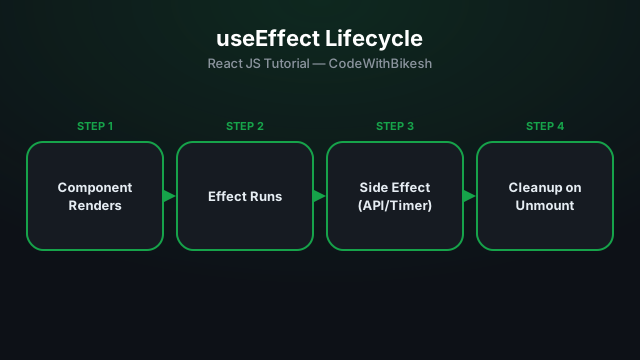
Rendering a component is one thing, but real apps often need to interact with the "outside world" — making an API call, setting a timer, adding an event listener. These are all side effects, and the useEffect hook keeps them separate from render logic.
useEffect(() => {
  // side effect code
}, [dependencies]);
[] (empty array) — the effect runs only once, when the component mounts.[count] — the effect runs every time count changes.function UserProfile({ userId }) {
const [user, setUser] = useState(null);
useEffect(() => {
let cancelled = false;
fetch(`/api/users/${userId}`)
.then(res => res.json())
.then(data => {
if (!cancelled) setUser(data);
});
return () => {
cancelled = true; // avoids a race condition
};
}, [userId]);
if (!user) return <p>Loading...</p>;
return <h2>{user.name}</h2>;
}When userId changes, the effect runs again and fetches new data — which is why userId was added to the dependency array.
useEffect(() => {
  const id = setInterval(() => {
    console.log('tick');
  }, 1000);

  return () => clearInterval(id); // stops the timer when the component unmounts
}, []);
The function returned from useEffect is a cleanup function — React calls it before running the effect again, or when the component unmounts. Skipping this is the most common cause of memory leaks.
// ❌ Wrong — a new object is created on every render, so the dependency always looks "changed"
useEffect(() => {
  setConfig({ theme: 'dark' });
}, [config]);
If an effect updates the same state that's in its own dependency array (without a condition), you get an infinite re-render loop. Fix: choose the right dependency, or use primitive values.
useEffect keeps side effects (API calls, timers, subscriptions) separate from rendering.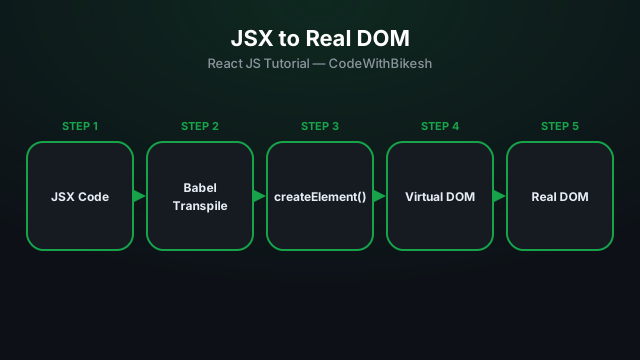
What problem React actually solves, how JSX syntax works, and how to build your first component.
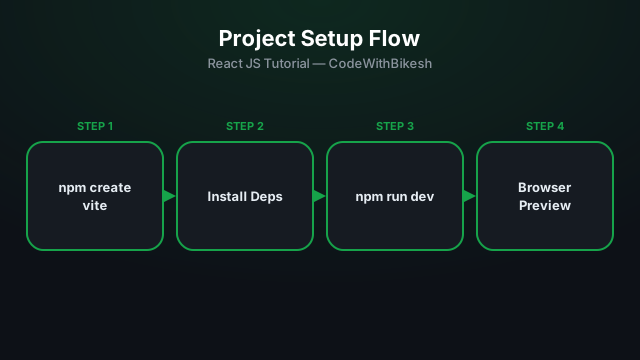
Set up a modern React project in seconds with Vite, and understand the resulting folder structure.
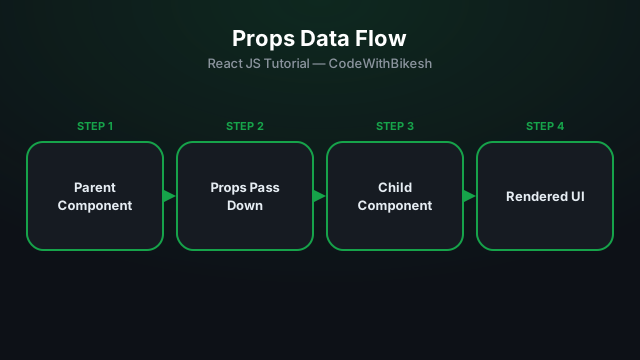
Build functional components and pass data from parent to child components using props.