What is React? JSX Introduction and Your First Component
What problem React actually solves, how JSX syntax works, and how to build your first component.
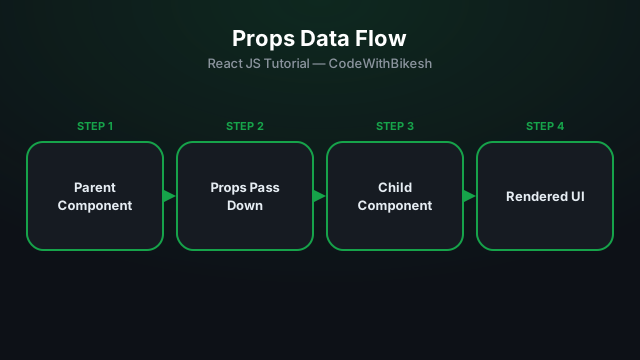
Props (short for "properties") are React's way of passing data between components — always in one direction, from parent to child (one-way data flow). You can think of props as a function's parameters.
function UserCard({ name, role, avatarUrl }) {
  return (
    <div className="card">
      <img src={avatarUrl} alt={name} />
      <h3>{name}</h3>
      <p>{role}</p>
    </div>
  );
}

function App() {
  return (
    <UserCard
      name="Bikesh Gupta"
      role="Full Stack Developer"
      avatarUrl="/images/bikesh.jpg"
    />
  );
}
Here App is the parent, passing name, role, and avatarUrl down to the UserCard child. The child simply destructures ({ name, role, avatarUrl }) to access those values.
Every component receives a special children prop — this is the JSX content written between its opening and closing tags:
function Card({ children }) {
  return <div className="card">{children}</div>;
}

// Usage:
<Card>
  <h3>Title</h3>
  <p>This is the content inside the card.</p>
</Card>function Btn({ label = 'Click' }).children prop is what makes components composable.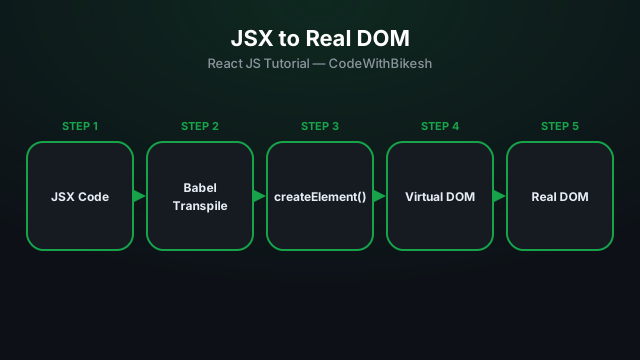
What problem React actually solves, how JSX syntax works, and how to build your first component.
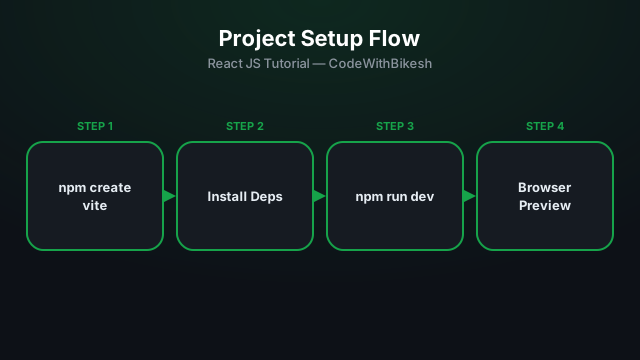
Set up a modern React project in seconds with Vite, and understand the resulting folder structure.
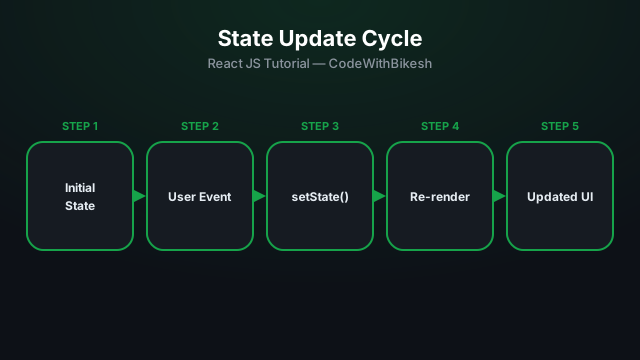
Learn to manage local state inside a component with the useState hook, using a counter example.