What is React? JSX Introduction and Your First Component
What problem React actually solves, how JSX syntax works, and how to build your first component.

useEffect + fetch gets data on screen, but real apps also need caching, background refetching, retry logic, and avoiding duplicate requests — writing all of that by hand is painful. TanStack Query (formerly React Query) gives you all of it out of the box.
npm install @tanstack/react-queryimport { QueryClient, QueryClientProvider } from '@tanstack/react-query';
const queryClient = new QueryClient();
function App() {
return (
<QueryClientProvider client={queryClient}>
<ProductList />
</QueryClientProvider>
);
}import { useQuery } from '@tanstack/react-query';
import axios from 'axios';
function ProductList() {
const { data, isLoading, isError, error } = useQuery({
queryKey: ['products'],
queryFn: () => axios.get('/api/products').then(res => res.data),
});
if (isLoading) return <p>Loading...</p>;
if (isError) return <p>Error: {error.message}</p>;
return (
<ul>
{data.map(p => <li key={p.id}>{p.name}</li>)}
</ul>
);
}That's it! With queryKey: ['products'], TanStack Query caches the result — if another component uses the same key, it instantly gets the cached data, while a fresh copy is automatically refetched in the background.
import { useMutation, useQueryClient } from '@tanstack/react-query';

function AddProductForm() {
  const queryClient = useQueryClient();

  const mutation = useMutation({
    mutationFn: (newProduct) => axios.post('/api/products', newProduct),
    onSuccess: () => {
      queryClient.invalidateQueries({ queryKey: ['products'] }); // refresh the list
    },
  });

  function handleSubmit(e) {
    e.preventDefault();
    mutation.mutate({ name: 'New Product' });
  }

  return <form onSubmit={handleSubmit}>{/* ... */}</form>;
}useQuery automatically handles caching, loading/error states, and background refetching.useMutation plus invalidateQueries automatically refreshes data after a create/update/delete.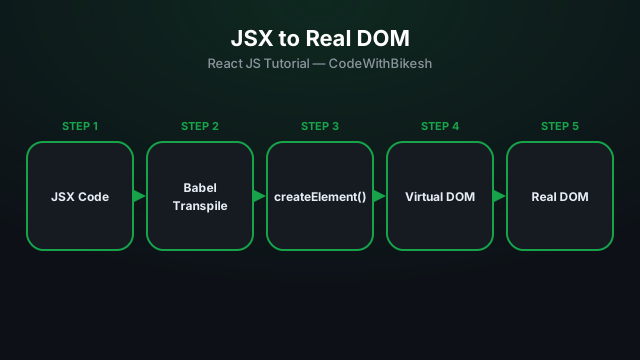
What problem React actually solves, how JSX syntax works, and how to build your first component.
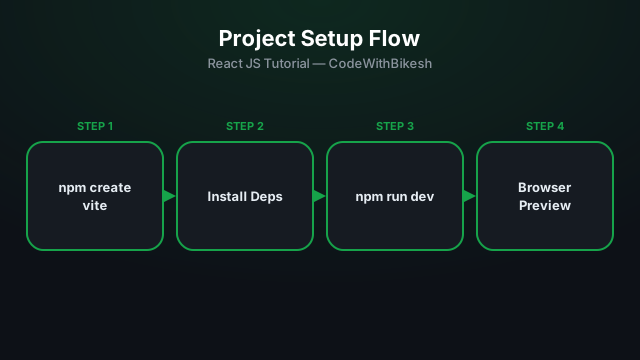
Set up a modern React project in seconds with Vite, and understand the resulting folder structure.
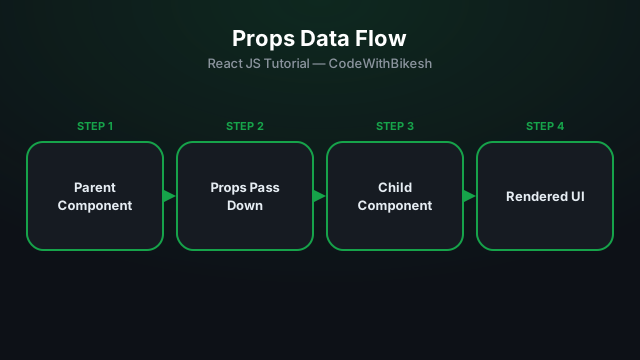
Build functional components and pass data from parent to child components using props.