What is React? JSX Introduction and Your First Component
What problem React actually solves, how JSX syntax works, and how to build your first component.
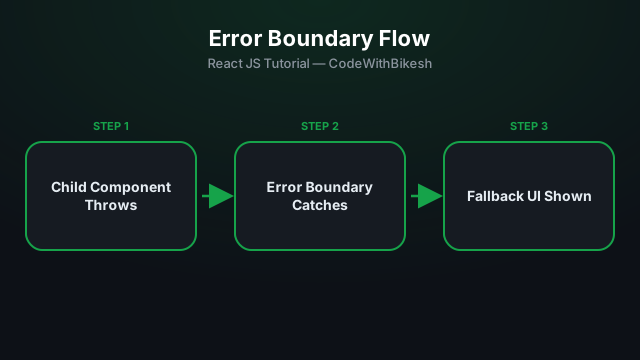
If a JavaScript error occurs anywhere during rendering, React by default unmounts the entire app tree — leaving the user with just a blank white screen. An Error Boundary solves this: it catches the error and shows a fallback UI in its place.
As of today, Error Boundaries can only be built with class components — there's no hook equivalent available.
class ErrorBoundary extends React.Component {
  constructor(props) {
    super(props);
    this.state = { hasError: false };
  }

  static getDerivedStateFromError(error) {
    return { hasError: true };
  }

  componentDidCatch(error, info) {
    console.error('Caught error:', error, info);
    // send this to Sentry/LogRocket or another logging service
  }

  render() {
    if (this.state.hasError) {
      return <h2>Something went wrong. Please refresh the page.</h2>;
    }

    return this.props.children;
  }
}function App() {
return (
<ErrorBoundary>
<Dashboard />
</ErrorBoundary>
);
}Best practice: wrap Error Boundaries around app "sections" (like each route/widget) — that way a crash in one widget won't bring down the whole app; only that section shows a fallback.
try/catch there).setTimeout, fetch callbacks).getDerivedStateFromError + componentDidCatch).try/catch for event handlers and async errors — a boundary only catches render-time errors.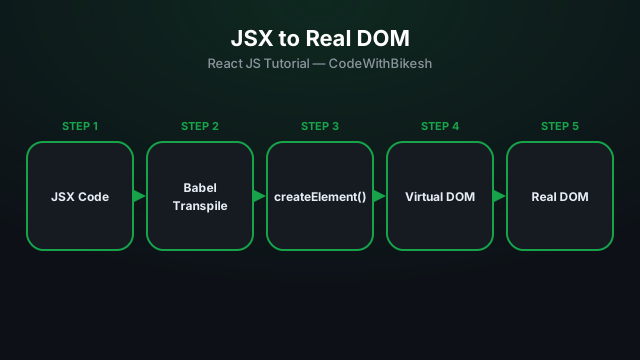
What problem React actually solves, how JSX syntax works, and how to build your first component.
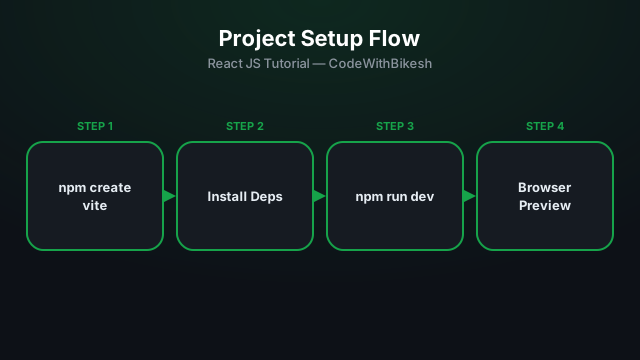
Set up a modern React project in seconds with Vite, and understand the resulting folder structure.
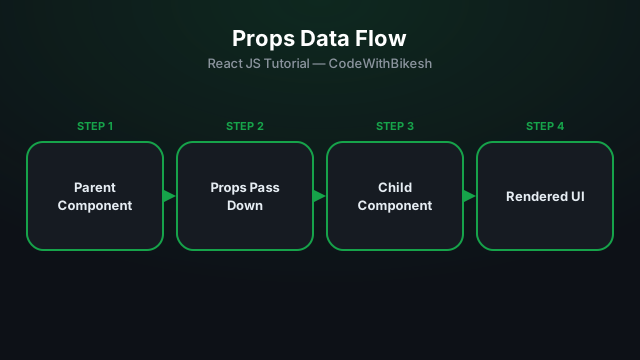
Build functional components and pass data from parent to child components using props.